.png)
















AI NATIVE
CRM
Built for the Trades
Voice AI | Smart Booking | Customer and Property Records | Memberships | Estimates | Invoices | Follow Up | Service History
Voice AI | Smart Booking | Customer and Property Records | Memberships | Estimates | Invoices | Follow Up | Service History
PropelOne turns every conversation into an updated customer record and a clear next step.
Not every call goes to Voice AI. Someone in the office might grab the phone before it rings twice, or a regular customer might have a direct line to someone in dispatch.
Recognize returning customers and instantly access their property, equipment, service history, notes, and open work.
Understand whether the customer needs service, a quote update, invoice help, or a new appointment.
Answer questions about services, appointments, and next steps using information already in PropelOne.
Add the conversation details to the right customer and property automatically.
Create a follow up, schedule a visit, start an estimate, or book the job.
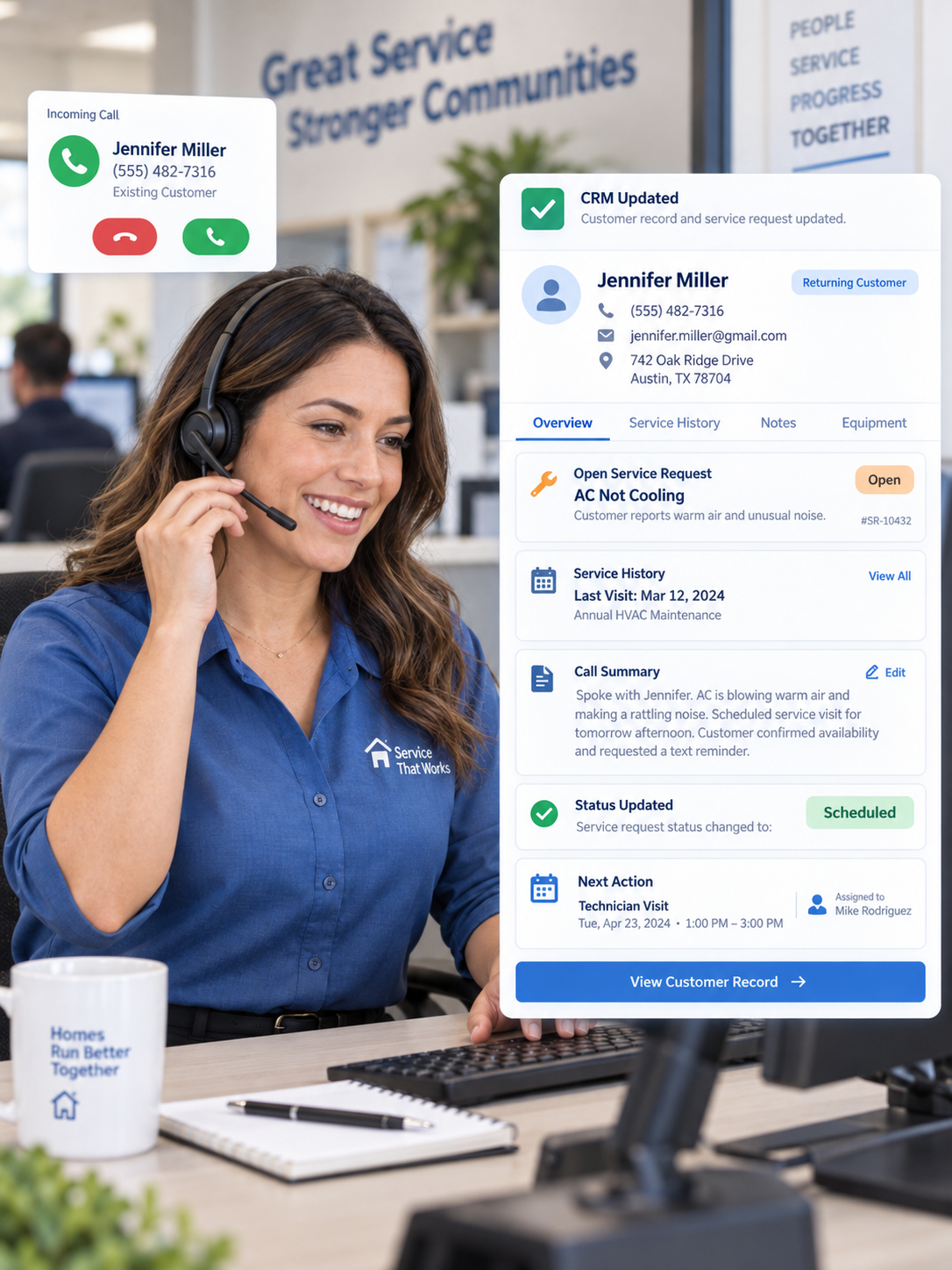
When someone on your team answers, PropelOne can match the call to the right customer and property, so the conversation starts with the correct record already in context.
A new service request, a question about an invoice, a quote follow-up, or a scheduling change. The important details from the conversation are captured against the call.
What was discussed stays tied to the customer, property, service history, and any open work instead of living in handwritten notes or someone's memory.
Call details land on the same customer record Voice AI would have used, keeping the CRM current even when a person answers first.
A follow-up, a scheduled visit, the start of an estimate, or a booked job.
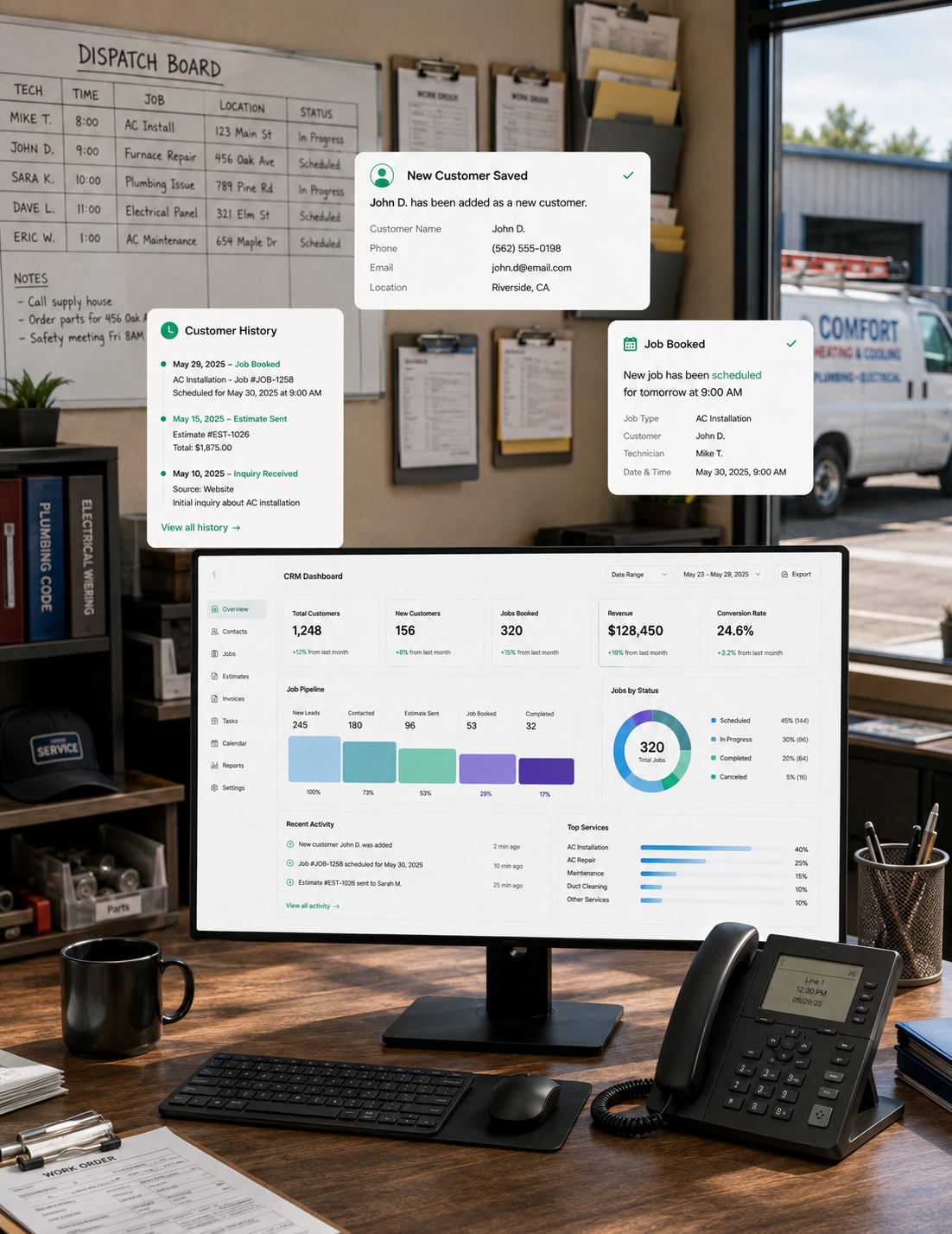
Keep the full customer journey connected, from first inquiry to the next service visit.
.png)
Capture what the lead needs, who owns it, and what happens next.

See customer information, properties, conversations, jobs, payments, and service history in one record.

See plan benefits, service due dates, and renewals on the customer record.

Use customer, property, equipment, and service details while creating the recommendation.

See what was billed, paid, and still due without switching systems.

Keep every estimate, renewal, payment reminder, and customer check in assigned and visible.
Yes. Calls answered by your team can update the same customer record with the details and next step.
Yes. It can add the call summary, service need, appointment details, and next action to the right customer and property.
Yes. Technicians speak naturally from the field, and PropelOne updates the system.
Voice AI captures their contact, property, and service details, then creates a lead or customer record.
Yes. Each property keeps its own jobs, notes, service history, and billing.
Yes. Estimates, pricebook items, invoices, and payments stay connected from the first conversation through payment.