.png)
















AI Reporting & Analytics
See Business Performance
Auto Reporting | Revenue by Trade | Technician Close Rates | Job Cost vs. Budget | Custom Dashboards | Pinned KPIs | Scheduled Reports | Email Delivery | Easy Exports
Auto Reporting | Revenue by Trade | Technician Close Rates | Job Cost vs. Budget | Custom Dashboards | Pinned KPIs | Scheduled Reports | Email Delivery | Easy Exports
Most numbers people actually want are quick ones, what did we bill last month, how is one crew doing against another. PropelOne Voice AI answers those on the spot, and opens the full report when the answer needs more than a sentence.
What was revenue last month gets answered without anyone opening a dashboard.
How did the HVAC crew do this week pulls the right scorecard, not a generic export.
A close rate that slipped or a job type running under margin gets mentioned before you go looking for it.
The underlying dashboard opens the moment a quick answer is not enough.
This is the quick, conversational layer on top of reporting. Asking PropelOne deeper business questions has its own dedicated experience under Voice AI.
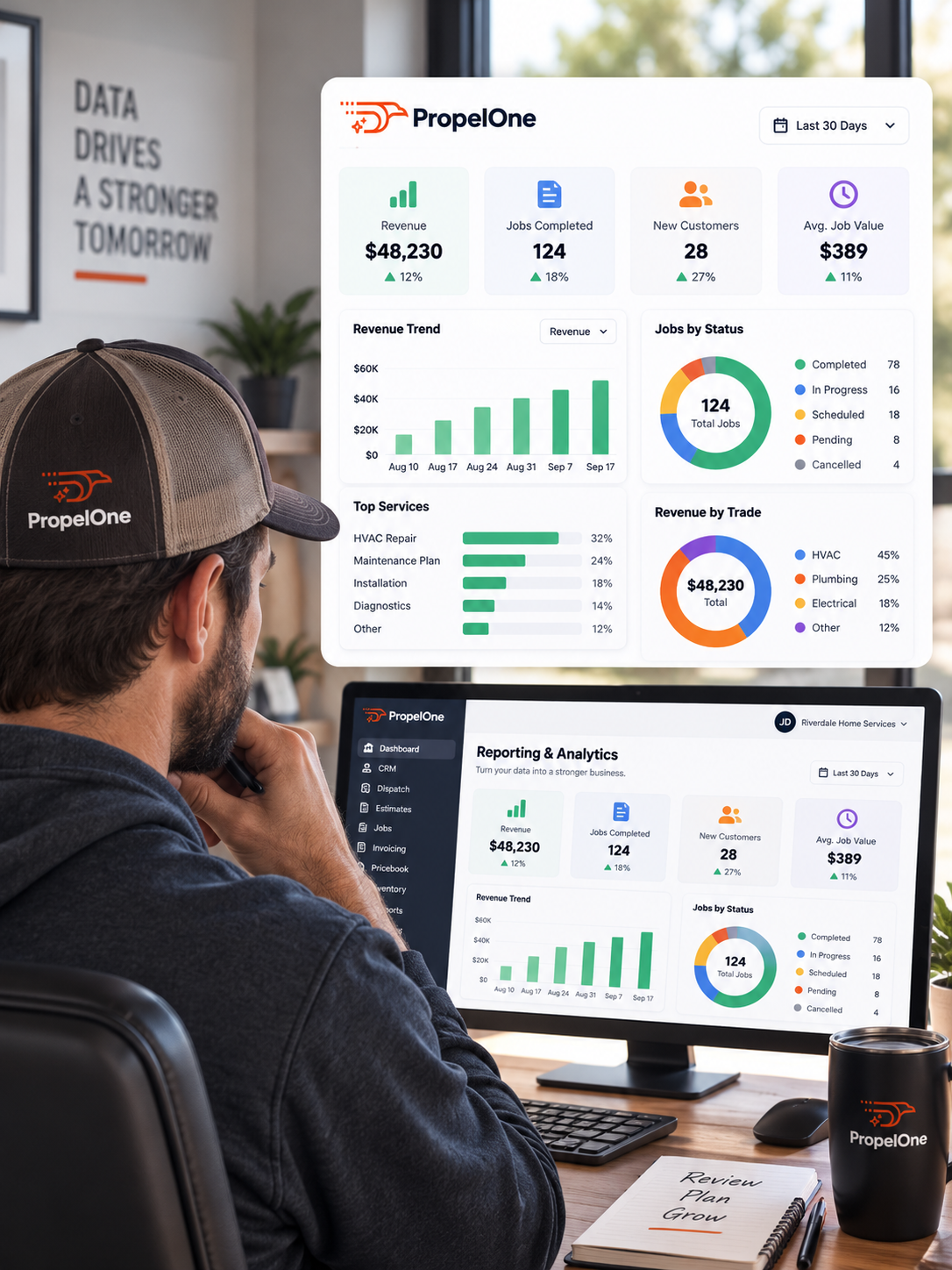
From the daily revenue number to the report nobody has to remember to run.

Revenue by day, week, or month, broken down by trade, technician, or business unit, updating as the work happens instead of arriving in a spreadsheet three weeks later.

A technician scorecard turns a gut feeling into a number. Revenue generated, average ticket, close rate on options presented, and customer rating, all in one place instead of scattered across three systems.

Job cycle time, first time fix rate, on time arrival, and callback rate say more about how the business actually runs than revenue alone ever will.

Not every customer is worth the same amount over time, and reporting should say so plainly instead of treating a one time repair the same as a decade long maintenance account.

An owner, an office manager, and a service lead do not care about the same numbers. PropelOne lets each of them build a dashboard around what they actually watch.

A report that has to be remembered eventually is not a report, it is a chore. Schedule it once, and it lands in the right inbox on its own from then on.
Seven steps, and most of them nobody has to trigger on purpose.
Every job, invoice, and call generates data on its own, nothing entered twice for reporting’s sake.
Revenue, job counts, and technician performance update as the day happens.
Out loud, or by opening a dashboard, whichever fits the moment.
A close rate sliding, a job type losing money, a zone running over capacity.
Scheduled into an inbox, or pulled up in the meeting where it matters.
Coaching, a price change, a staffing shift, whatever the number points to.
And the cycle runs again without anyone having to restart it.
The numbers were always there. Reporting is just what makes them impossible to ignore.
Yes. Pick the metrics that matter to you and arrange them however makes sense, with room for multiple saved dashboards.
Yes. Scorecards show revenue, close rate, and customer rating per technician, tracked over time.
Yes. Set the cadence once, daily, weekly, or monthly, and it lands in the inbox you choose without anyone remembering to send it.
Yes. Export directly or sync with your accounting software to avoid re-entering numbers.
Yes. Every job shows budget against actual, so a job that is bleeding money does not stay hidden until month end.
Yes, for straightforward numbers. Deeper conversational analysis has its own dedicated experience under Voice AI.